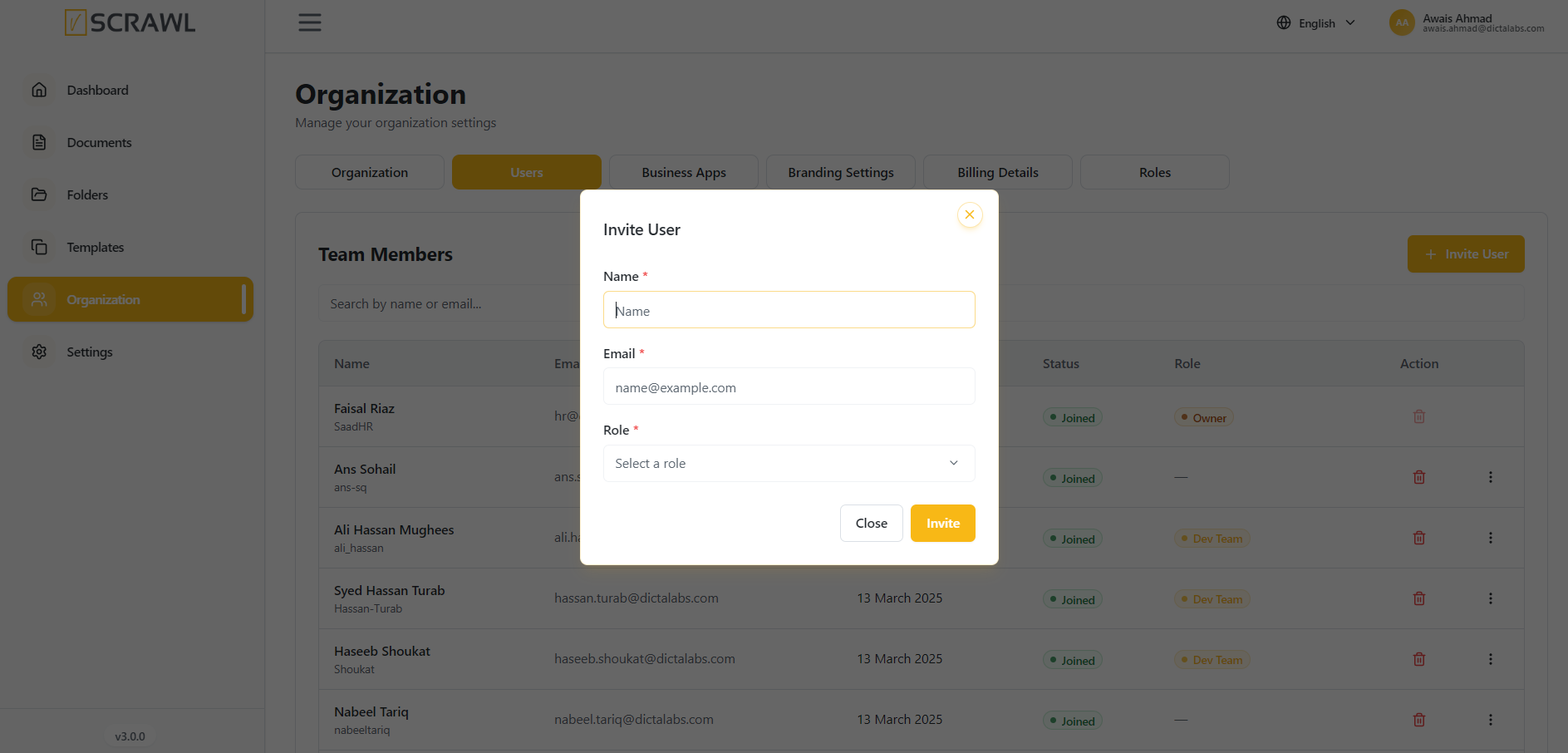
Users
The Users section allows administrators to manage organization members within vScrawl. From this page, administrators can view team members, monitor user status, assign roles, and invite new users to the organization.
Viewing Team Members
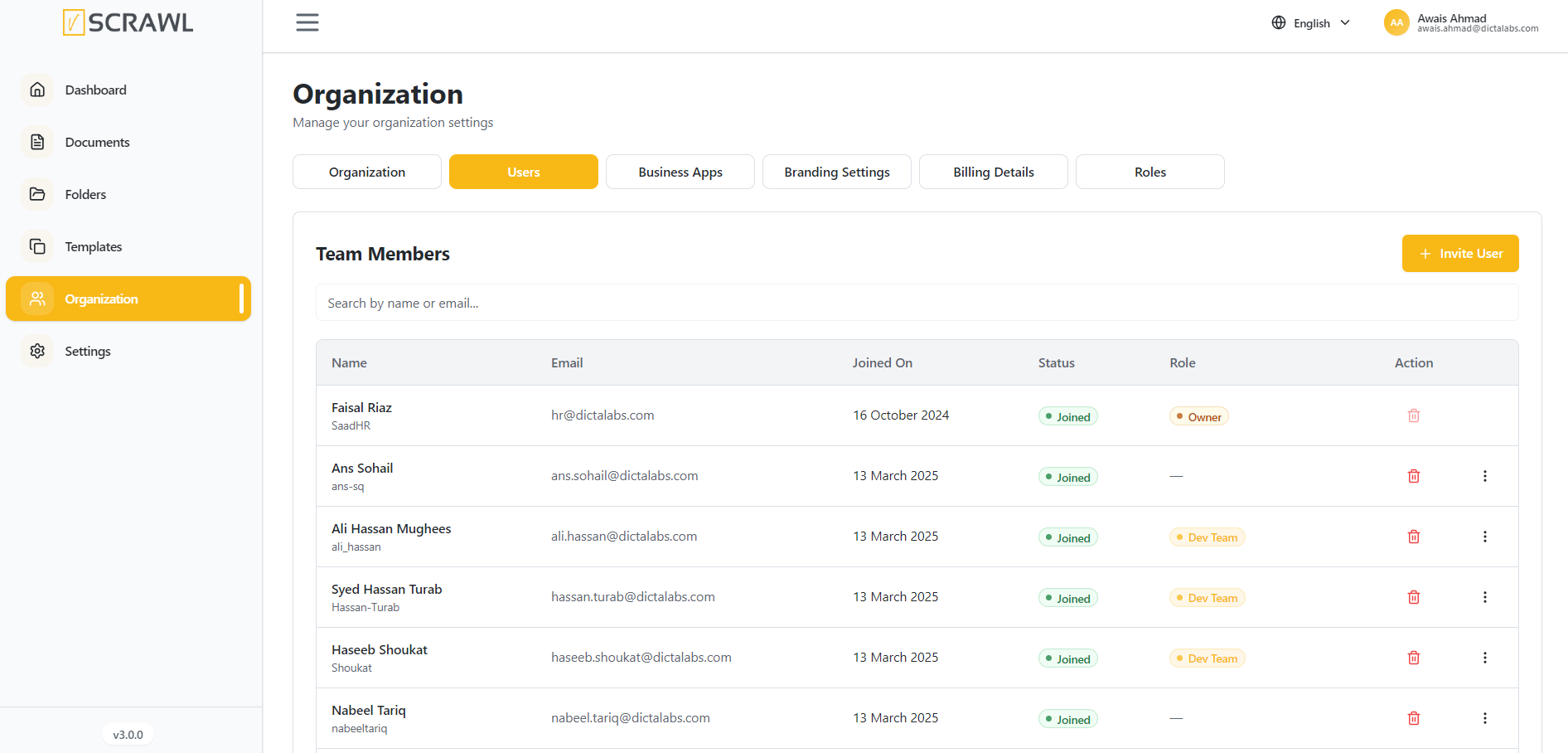
The Team Members table provides an overview of all users associated with the organization.
The following information is displayed for each user:
- Name – User's full name and username.
- Email – Registered email address.
- Joined On – Date the user joined the organization.
- Status – Current membership status.
- Role – Assigned role within the organization.
- Actions – Available user management options.
Searching Users
Use the Search by name or email field to quickly locate users within the organization.
- Enter a user's name or email address.
- Matching results are displayed automatically.
Updating the User Roles & Settings
-
You can update the role of users in your organization.
-
You can also renew their signature Quotas.
-
You can delete user from your organization.
-
You can invite a new user to your organization by giving him the roles & permissions you want.