Languages Support
vScrawl supports a multilingual interface that allows users to operate the platform in their preferred language. This guide walks you through how to change the language and lists the currently supported languages.
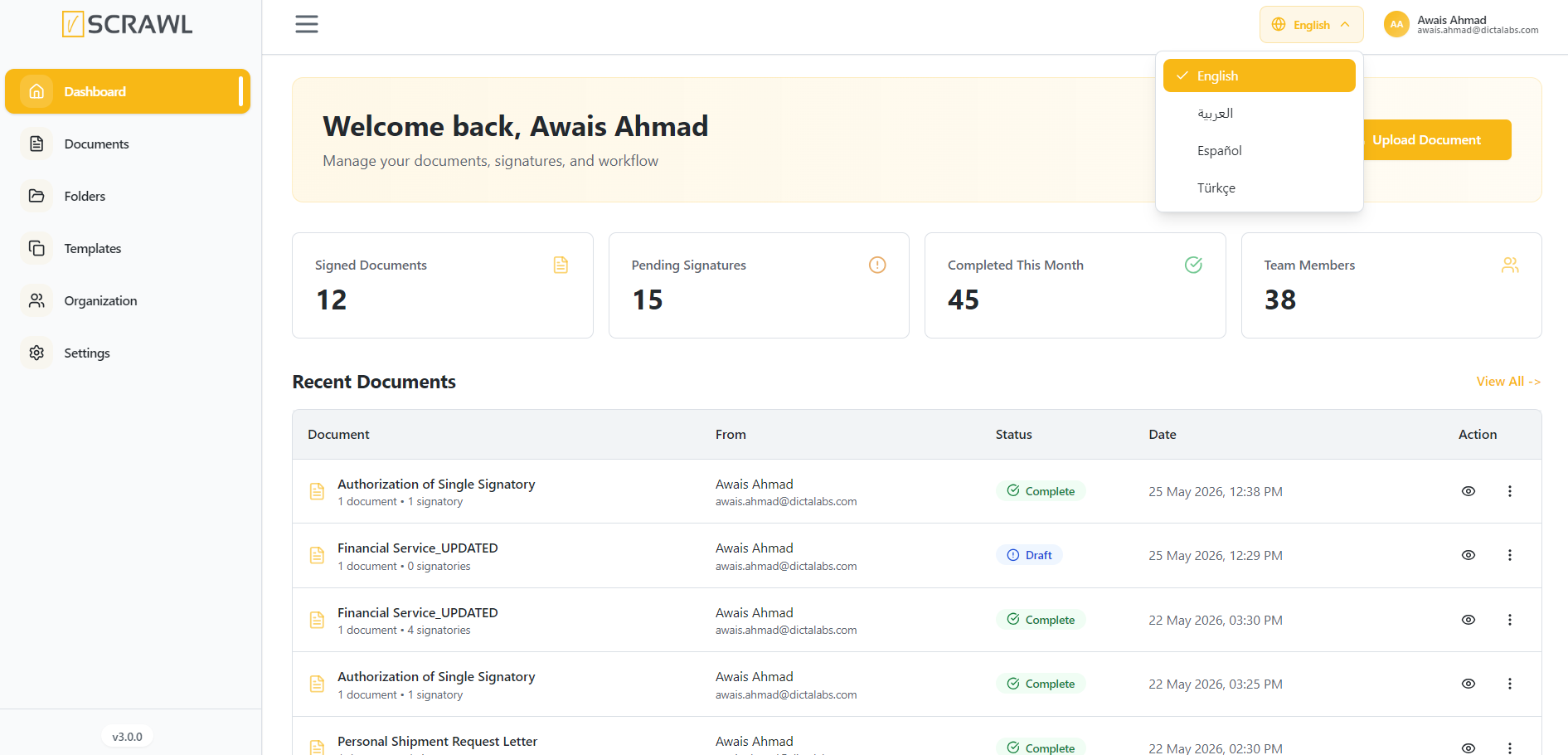
Locate The Language Dropdown
-
Locate the Language Dropdown
- At the top-right corner of the screen, you’ll see a dropdown labeled with the current language (e.g., "English").
-
Click the Dropdown Arrow
- This will display the available language options.
-
Select Your Preferred Language
-
Choose from the list of available languages:
-
English
-
Türkçe
-
Española
-
Arabic
-
-
-
Interface Update
- Once selected, the interface will automatically update to the selected language without requiring a page refresh.